Build · Telegram bots
A whole shop, inside the chat.
We build Telegram shop bots: a catalogue, cart and checkout for your customers, and a Control Room for you. Payments run through Cortana and settle in your own accounts.
Or write to [email protected]
- Cards, crypto and bank
- Money settles in your accounts
- Runs on your bot token
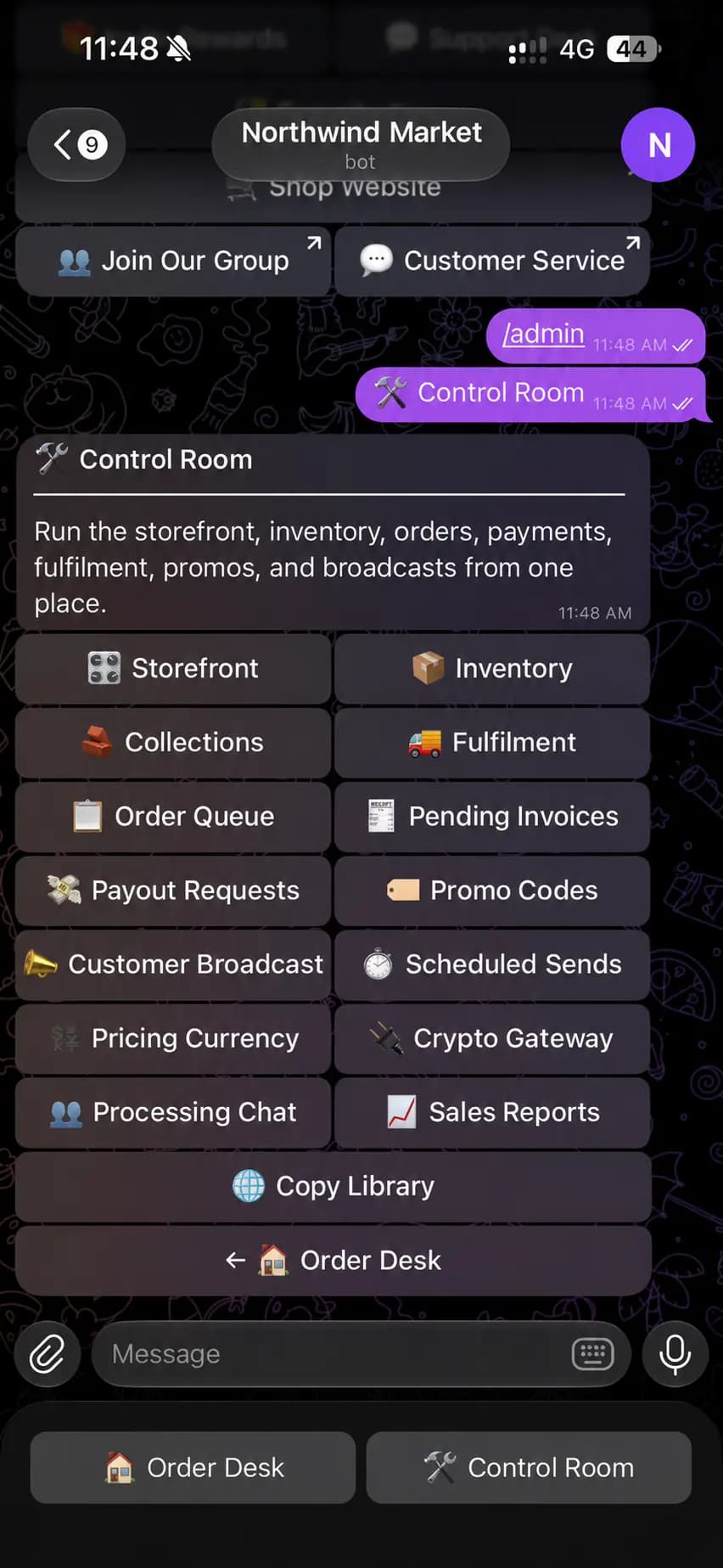
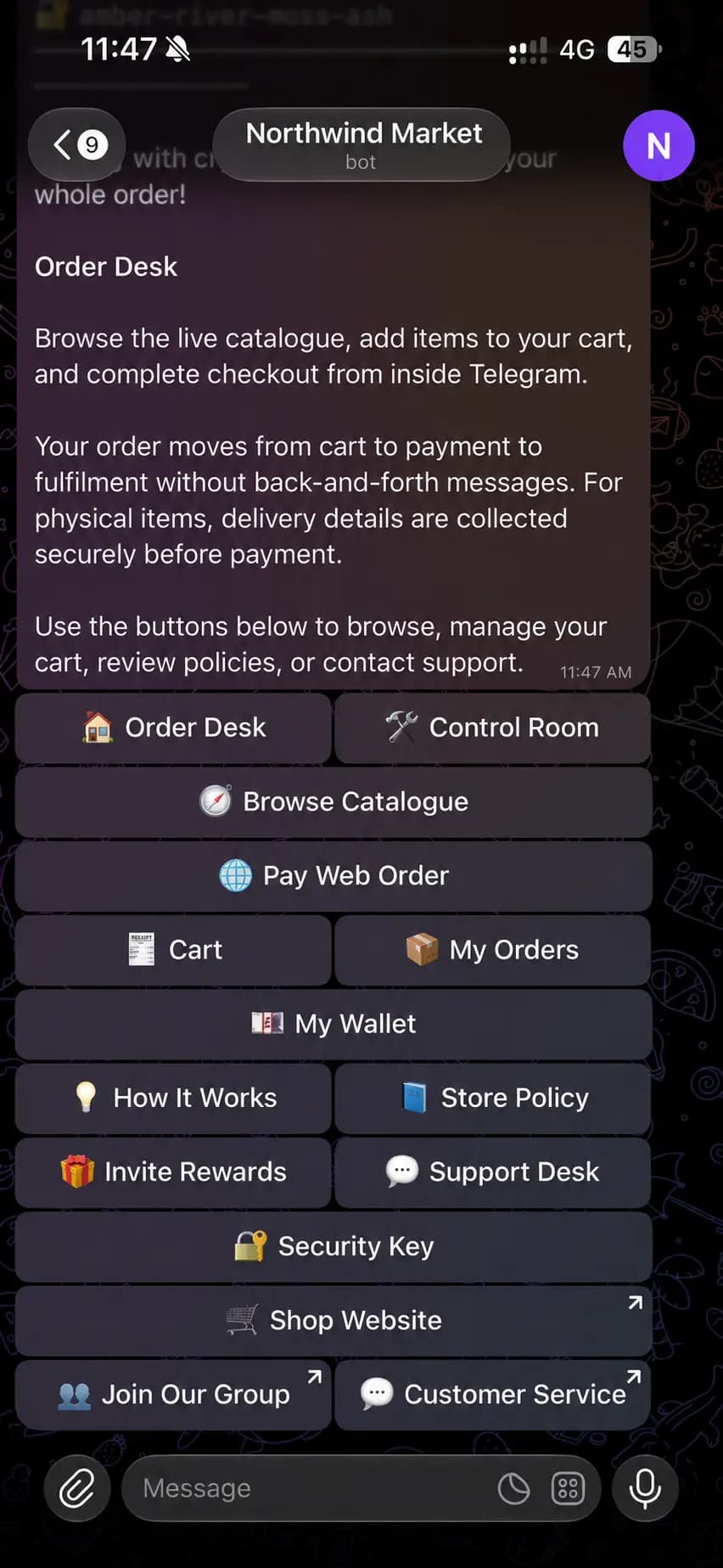
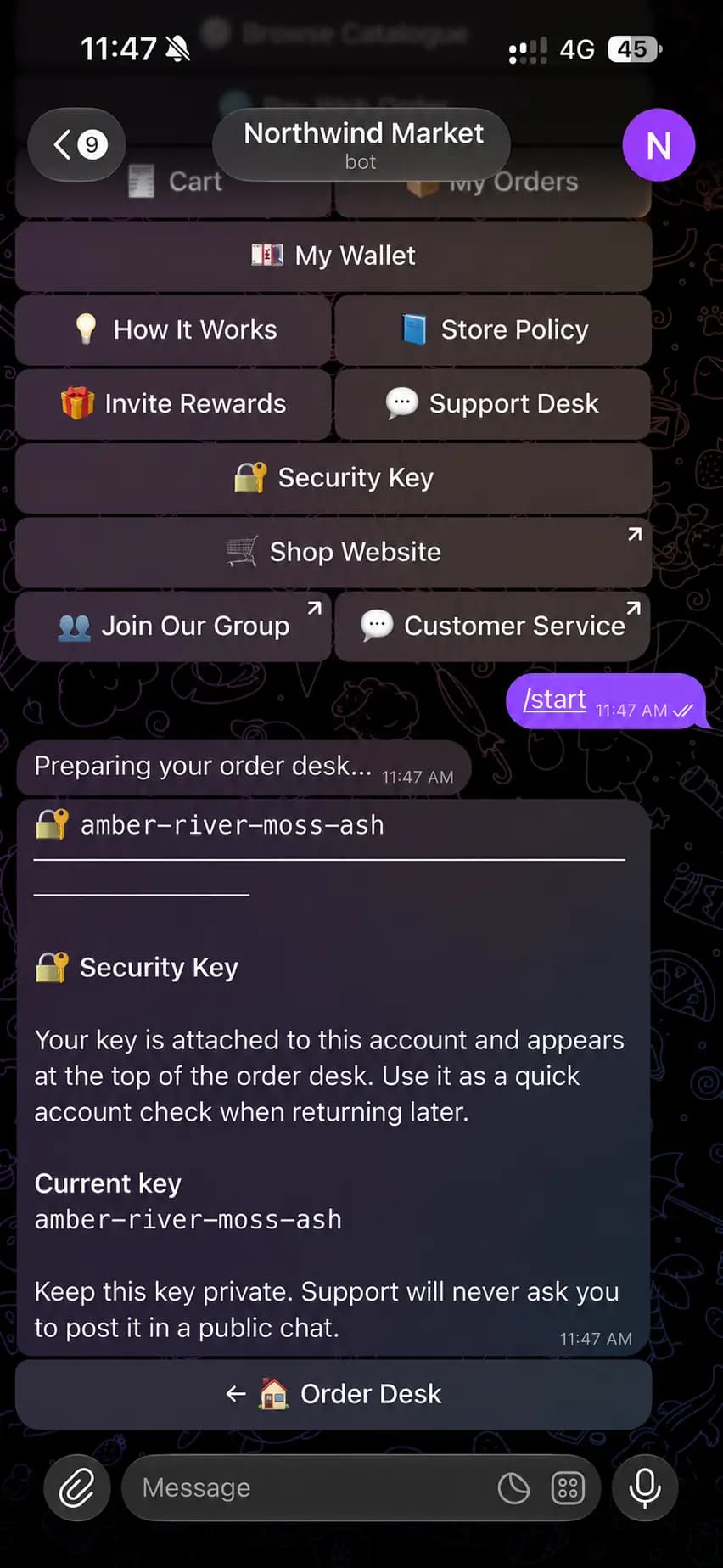
Swipe for all three screens. Real bot screens. The name, picture and key are changed.
For your customers
Everything they need, one tap away.
The Order Desk opens with /start. Customers browse, pay and get help in the same chat they found you in.
Catalogue and cart
Customers browse, fill a cart and check out without leaving the chat.
Web orders, paid here
An order started on your website can be paid from the bot.
Orders and wallet
Order status and wallet balance, one tap from the menu.
A key for every customer
A private key pinned in each customer's chat, so a returning buyer can show it's them.
Invite rewards
Customers share their own invite link. You decide the reward.
Help in the chat
How it works, your store policy and a support desk, plus links to your website, group and customer service.
For you
Run the shop from the Control Room.
Type /admin and the owner's tools open in the same chat. Customers never see them.
Storefront and collections
Choose what customers see first and group products into collections.
Inventory
Add products and change prices and stock from your phone.
Orders to delivery
Work the order queue through fulfilment. New orders can post to a staff chat.
Invoices and payouts
See which invoices are still unpaid and handle payout requests.
Promos and broadcasts
Promo codes, a message to every customer, and sends that go out on a schedule.
Settings and reports
Set the pricing currency, connect crypto checkout, read sales reports and edit every message the bot sends.
Payments built in
Checkout runs on Cortana.
The bot takes payments through the accounts you connect to Cortana, and the money settles in those accounts. Cortana never holds it.
Cards
On your branded payment page, through the card account you run.
Crypto
A hosted crypto checkout, through the crypto account you run.
Bank transfer
Your bank details or a QR code. The customer uploads a proof and you approve it.

How an order gets paid
- 1. Customer taps PayThe bot creates a Cortana payment for the order.
- 2. Pays on your pageCard, crypto or bank transfer, on your payment page.
- 3. Signed callbackCortana signs the result and sends it to the bot.
- 4. Order moves onThe bot checks the signature, marks it paid and sends it to fulfilment.
A tap in the chat never marks an order paid. Only the signed callback does.
How a build works
From brief to first order.
Six steps. You see the bot working before it takes a real payment.
- 1
Brief
Tell us what you sell, how orders are delivered and who runs the shop. The reply covers scope, fee and timing.
- 2
Design
We map the menus, the messages and the Control Room before any code is written.
- 3
Build
The bot, the admin tools and the Cortana checkout, on your bot token.
- 4
Test
Orders run end to end in Cortana's test mode, with you, before anything goes live.
- 5
Launch
Live payments switch on and your team gets the Control Room.
- 6
Support
Fixes and changes after launch, on the terms in the reply.
What you provide
What we need from you.
Nothing on this list has to be perfect. Send what you have.
- A bot tokenCreate the bot with Telegram's @BotFather and send us the token. We can walk you through it.
- Your catalogueProducts, prices, photos and stock, in a spreadsheet or any list.
- Your wordsStore policy, delivery terms, and the tone the bot should use.
- A Cortana workspaceWith the card, crypto or bank accounts you want to be paid into. We can help connect them.
- Your teamWho gets the Control Room, and which chat new orders should go to.
- Your linksWebsite, group and customer-service contact, if you have them.
FAQ
Before you write.
What shop owners ask before a bot build.
Will the bot carry my shop's name?
Does Cortana hold the money?
Which payment methods can the bot take?
How does the bot know an order is paid?
Can my team use the Control Room?
What does it cost, and how long does it take?
Do I need a website too?

Tell us about your shop.
What you sell, how you deliver and who runs it. We reply with the scope, the fee and the timing.
Or write to [email protected]